Realme 7 Full Specifications, Features, Hardware Details & Professional Repair Guide (RMX2151 / RMX2163)
The Realme 7 was launched in September 2020 as a powerful mid-range Android smartphone focused on gaming performance, smooth display experience, long battery life, and fast charging technology. Powered by the MediaTek Helio G95 chipset and equipped with a 90Hz Full HD+ display, the Realme 7 quickly became one of the most popular budget gaming smartphones in its category.
This detailed guide covers the complete Realme 7 specifications, hardware overview, internal design, and a professional iFixit-style repair manual for technicians, repair shops, and DIY users.
Realme 7 Network & Connectivity Specifications
Network Technology
The Realme 7 supports multiple mobile network technologies:
This allows compatibility with most global carriers for calling, messaging, and high-speed mobile internet access.
2G Network Bands
Supported GSM bands include:
- GSM 850
- GSM 900
- GSM 1800
- GSM 1900
These are commonly used worldwide for voice calling and basic network connectivity.
3G Network Bands
Supported HSDPA bands:
The phone supports stable 3G internet speeds and fallback connectivity in low LTE coverage areas.
4G LTE Bands
Supported LTE bands:
- Band 1
- Band 3
- Band 5
- Band 8
- Band 38
- Band 40
- Band 41
The inclusion of Band 40 and Band 41 makes the Realme 7 highly compatible with many Asian network providers.
Mobile Data Speed
Supported technologies:
The device delivers strong mobile internet performance suitable for gaming, streaming, video calls, and hotspot usage.
Realme 7 Launch Information
Announcement Date
Official Release Date
Current Market Status
Although officially discontinued, the Realme 7 remains popular in the used smartphone market because of its reliable hardware and affordable repair costs.
Realme 7 Body Design & Build Quality
Dimensions
Weight
The phone feels solid in hand due to the large 5000mAh battery.
Build Materials
The Realme 7 uses:
- Gorilla Glass 3 front protection
- Plastic rear housing
- Plastic frame
The plastic body improves durability against drops and reduces repair costs compared to glass-back phones.
SIM Configuration
The device supports:
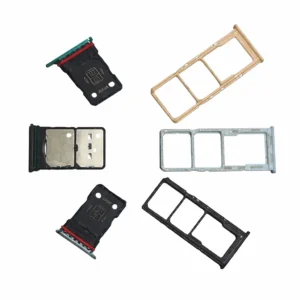
- Dual Nano-SIM
- Dedicated microSD card slot
This means users can expand storage without sacrificing dual SIM functionality.
Realme 7 Display Specifications
Display Type
- IPS LCD
- 90Hz refresh rate
- 480 nits typical brightness
The 90Hz panel provides noticeably smoother scrolling and gaming compared to traditional 60Hz displays.
Screen Size
Screen-to-Body Ratio
Resolution
- 1080 x 2400 pixels
- 20:9 aspect ratio
- 405 PPI pixel density
The Full HD+ resolution delivers sharp visuals, vibrant gaming graphics, and crisp video playback.
Display Protection
The glass provides moderate resistance against scratches and accidental impacts.
Realme 7 Software & Hardware Platform
Operating System
Out of the box:
Upgradeable to:
Processor (Chipset)
- MediaTek Helio G95
- 12nm fabrication process
The Helio G95 was designed specifically for gaming-oriented mid-range smartphones.
CPU Configuration
Octa-core processor:
- 2x Cortex-A76 cores at 2.05GHz
- 6x Cortex-A55 cores at 2.0GHz
GPU
The GPU handles games like PUBG Mobile, COD Mobile, Asphalt 9, and Free Fire smoothly on medium to high settings.
Realme 7 Memory & Storage
RAM & Storage Variants
Available configurations:
- 64GB storage + 6GB RAM
- 128GB storage + 8GB RAM
Storage Technology
This provides faster app launching and improved file transfer performance compared to older eMMC storage systems.
Expandable Storage
Realme 7 Rear Camera Specifications
Quad Camera Setup
Main Camera
- 64MP
- f/1.8 aperture
- PDAF autofocus
The primary sensor captures detailed daylight photos with good dynamic range.
Ultra-Wide Camera
- 8MP
- 119-degree field of view
Ideal for landscapes and group photography.
Macro Camera
Allows close-up photography.
Auxiliary Sensor
Rear Camera Features
Rear Video Recording
Supports:
- 4K at 30fps
- 1080p at 30fps
- 1080p at 60fps
- 1080p at 120fps
- Gyro-EIS stabilization
Realme 7 Front Camera Specifications
Selfie Camera
Front Camera Features
Front Video Recording
- 1080p at 30fps
- 1080p at 120fps
Realme 7 Audio Features
Loudspeaker
The speaker performance is considered very good for its category.
Headphone Jack
- 3.5mm audio jack included
Useful for gaming headsets and wired audio devices.
Loudspeaker Test Rating
Realme 7 Connectivity Features
Wi-Fi
Supports:
- Wi-Fi 802.11 a/b/g/n/ac
- Dual-band Wi-Fi
- Wi-Fi Direct
Bluetooth
GPS & Navigation
Supports:
NFC
- Available only on Indonesian variants
USB Port
- USB Type-C 2.0
- OTG support
Realme 7 Sensors
Integrated sensors include:
- Side-mounted fingerprint scanner
- Accelerometer
- Gyroscope
- Proximity sensor
- Compass
The fingerprint scanner is integrated into the power button.
Realme 7 Battery & Charging
Battery Capacity
- 5000mAh non-removable battery
The device offers excellent battery endurance.
Fast Charging
Charging speeds:
- 50% charge in approximately 26 minutes
- Full charge in approximately 65 minutes
Realme uses Dart Charge technology for rapid charging performance.
Realme 7 Colors & Model Numbers
Available Colors
Model Numbers
Realme 7 SAR Ratings
Head SAR
Body SAR
Realme 7 Original Price
- Approximately 170 EUR at launch
The phone was considered one of the best value-for-money gaming smartphones in its segment.
Professional Realme 7 Repair Guide (iFixit Style)
Complete Repair Manual for Realme 7 RMX2151 / RMX2163
The Realme 7 remains one of the more repair-friendly Realme smartphones because many internal components are modular and replacement parts are widely available.
This guide covers professional repair procedures used by repair technicians and advanced DIY users.
Common Realme 7 Hardware Problems
Most frequently reported issues include:
- Broken LCD display
- Battery swelling
- Charging port failure
- Fast charging not working
- Dead motherboard
- Water damage
- Random rebooting
- Touchscreen malfunction
- Fingerprint scanner failure
- Camera focus issues
- Speaker distortion
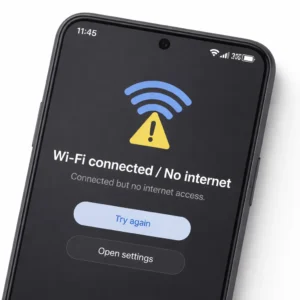
- Wi-Fi signal problems
- Power button malfunction
Tools Required for Realme 7 Repair
Basic Repair Tools
- Precision screwdriver set
- Plastic pry tools
- Opening picks
- Tweezers
- SIM eject tool
Professional Repair Equipment
- Heat gun or heating mat
- Isopropyl alcohol (99%)
- DC power supply
- Digital multimeter
- Hot air rework station
- Microsoldering station
- PCB microscope
Adhesives
Recommended adhesives:
- Tesa tape
- B7000 glue
- LCD frame adhesive
Safety Precautions Before Repair
Before opening the phone:
- Power off the device completely
- Remove the SIM tray
- Reduce battery charge below 25%
- Wear ESD protection
- Organize screws carefully
Never puncture or bend the battery aggressively.
How to Open the Realme 7 Safely
Step 1: Heat the Rear Cover
Apply heat evenly around the back panel for 2–3 minutes at approximately 80–90°C.
This softens the factory adhesive.
Step 2: Insert Plastic Opening Tool
Carefully insert a plastic pick into the gap near the lower edge.
Avoid metal tools because they can crack the frame or damage flex cables.
Step 3: Separate the Rear Housing
Slide the opening pick slowly around the edges.
Take extra caution around:
- Fingerprint sensor cable area
- Side button flex area
Step 4: Remove Rear Cover
Lift the back cover carefully and disconnect the fingerprint flex cable if necessary.
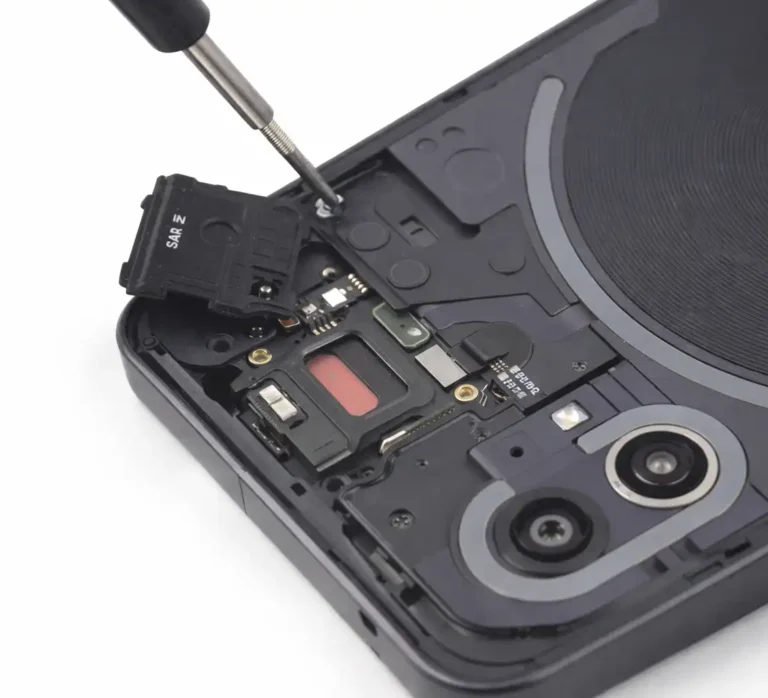
Realme 7 Internal Layout Overview
Inside the device you will find:
- Upper motherboard assembly
- Lower charging daughterboard
- Large central battery
- Interconnect flex cable
- Loudspeaker housing
- Side fingerprint scanner flex
The modular design simplifies certain repairs.
Realme 7 Battery Replacement Guide
Symptoms of Battery Failure
Common symptoms:
- Rapid battery drain
- Swollen battery
- Random shutdowns
- Overheating
- Incorrect battery percentage
Step-by-Step Battery Replacement
Step 1
Open the device and disconnect the battery connector immediately.
Step 2
Remove the screws securing the protective midframe.
Step 3
Lift protective covers carefully.
Step 4
Apply isopropyl alcohol beneath the battery adhesive strips.
Step 5
Use a plastic card to loosen the battery slowly.
Never use sharp metal tools.
Step 6
Install the replacement battery carefully.
Step 7
Reconnect all flex cables and test before sealing the phone.
Realme 7 Display Replacement Guide
Common LCD Problems
- Cracked screen
- Black display
- Touch not working
- Flickering screen
- Vertical lines
- Ghost touch
Display Assembly Type
The Realme 7 uses a fused LCD and touch digitizer assembly.
Display Replacement Procedure
Step 1
Open the rear housing.
Step 2
Disconnect the battery.
Step 3
Disconnect the display flex cable.
Step 4
Apply controlled heat to the front display edges.
Step 5
Separate the damaged display carefully.
Step 6
Remove all old adhesive residue.
Step 7
Test the replacement display before final installation.
Step 8
Apply new adhesive and clamp evenly.
Realme 7 Charging Port Repair Guide
Common Charging Issues
- Slow charging
- No charging
- Loose USB-C port
- Dart Charge failure
- Charging disconnects randomly
Initial Diagnosis
Check:
- Charging cable
- Adapter
- Charging amperage
- USB port contamination
USB Port Cleaning Procedure
Use:
- Soft anti-static brush
- Isopropyl alcohol
- Compressed air
Do not use sharp metal objects.
Charging Board Replacement
The charging port is located on a separate daughterboard.
Replacement Steps
- Disconnect battery
- Remove loudspeaker housing
- Disconnect antenna cables
- Remove charging board screws
- Replace the sub-board assembly
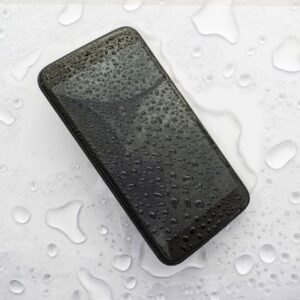
Realme 7 Water Damage Repair Guide
Immediate Emergency Steps
If the phone gets wet:
- Power OFF immediately
- Do not charge the device
- Open the phone quickly
- Disconnect the battery
Professional Cleaning Procedure
Technicians typically use:
- 99% isopropyl alcohol
- Ultrasonic cleaner
- Anti-static brushes
Areas Most Vulnerable to Corrosion
- Charging IC
- PMIC
- Display connector
- Battery connector
- CPU shield perimeter
Realme 7 Boot Loop & Dead Phone Repair
Common Causes
- Corrupted firmware
- PMIC damage
- Battery voltage failure
- Water damage
- CPU solder fatigue
Basic Recovery Steps
Try:
- Power + Volume Up
- Recovery mode
- Fastboot mode
Firmware Flashing
Use:
- SP Flash Tool
- Official Realme firmware package
Always verify:
- Correct RMX model number
- Correct firmware region
Realme 7 Fingerprint Sensor Repair
Common Problems
- Fingerprint not detected
- Power button malfunction
- Intermittent unlocking
Repair Procedure
- Open device
- Remove side frame screws
- Disconnect fingerprint flex cable
- Replace side fingerprint assembly
The fingerprint scanner is integrated with the power button flex.
Realme 7 Camera Repair Guide
Common Rear Camera Issues
- Blurry images
- Camera failed error
- Focus malfunction
- Shaking camera
Common Front Camera Problems
- Black selfie screen
- Dust under lens
- Focus problems
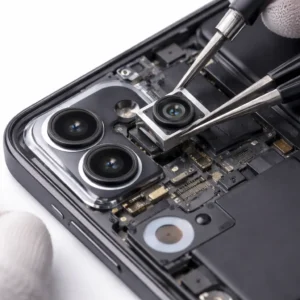
Camera Replacement Steps
- Disconnect battery
- Remove camera bracket
- Disconnect camera flex
- Replace camera module
- Clean lens glass before sealing
Realme 7 Speaker Repair Guide
Common Speaker Problems
- Distorted sound
- Low volume
- No ringtone audio
Repair Process
- Remove lower loudspeaker housing
- Clean contact pads
- Replace speaker module if defective
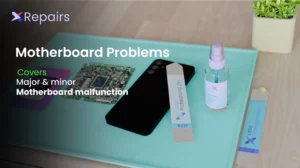
Professional Motherboard Repair (Advanced)
Common Board-Level Failures
Professional repair labs often repair:
- Shorted capacitors
- Charging IC damage
- PMIC failure
- Backlight circuit failure
- CPU power rail shorts
Required Professional Skills
- Microsoldering
- Thermal diagnostics
- Diode mode analysis
- PCB schematic reading
These repairs should only be attempted by trained technicians.
Realme 7 Repairability Score
Easier Repairs
- Battery replacement
- Charging board replacement
- Speaker replacement
Moderate Difficulty Repairs
- LCD replacement
- Fingerprint flex replacement
Advanced Repairs
- Motherboard repair
- CPU rework
- Water damage restoration
Most Replaced Realme 7 Spare Parts
Most commonly replaced parts include:
- LCD display assembly
- Battery
- USB charging board
- Fingerprint flex cable
- Loudspeaker module
- Rear camera module
- Rear housing
Professional Post-Repair Testing Checklist
Always test:
- Charging speed
- Touchscreen response
- Camera functionality
- Fingerprint scanner
- Speaker output
- Microphone
- Wi-Fi
- Bluetooth
- SIM detection
- GPS
- Refresh rate functionality
SEO Keywords for Realme 7 Repair & Specifications
- Realme 7 display replacement
- Realme 7 battery replacement
- Realme 7 charging port repair
- Realme 7 motherboard repair
- Realme 7 dead boot fix
- RMX2151 repair guide
- RMX2163 repair manual
- Realme 7 teardown
- Realme 7 LCD replacement
- Realme 7 fast charging issue
- Realme 7 repair tutorial
- Realme 7 disassembly guide
Final Conclusion
The realme 7 remains one of the best repairable mid-range Realme smartphones due to its modular charging board, easily available spare parts, durable frame construction, and relatively accessible internal layout.
Battery replacements and charging repairs are manageable for experienced DIY users, while motherboard-level diagnostics and microsoldering repairs are best handled by professional technicians with advanced equipment.